<?xml version="1.0" ?><rdf:RDF xmlns:dc="http://purl.org/dc/elements/1.1/" 
  xmlns:rdf="http://www.w3.org/1999/02/22-rdf-syntax-ns#" 
  xmlns="http://purl.org/rss/1.0/"
  xmlns:content="http://purl.org/rss/1.0/modules/content/">
  <channel rdf:about="http://bugs.povray.org/">
    <title>POV-Ray Bug Tracking System:</title>
    <link>http://bugs.povray.org/</link>
    <description>POV-Ray Bug Tracking System:POV-Ray: Recently opened tasks</description>
    <dc:date>2017-05-09T15:37:11Z</dc:date>
    <items>
      <rdf:Seq>
                <rdf:li rdf:resource="http://bugs.povray.org/task/336" />
                <rdf:li rdf:resource="http://bugs.povray.org/task/335" />
                <rdf:li rdf:resource="http://bugs.povray.org/task/334" />
                <rdf:li rdf:resource="http://bugs.povray.org/task/333" />
                <rdf:li rdf:resource="http://bugs.povray.org/task/332" />
                <rdf:li rdf:resource="http://bugs.povray.org/task/331" />
                <rdf:li rdf:resource="http://bugs.povray.org/task/330" />
                <rdf:li rdf:resource="http://bugs.povray.org/task/329" />
                <rdf:li rdf:resource="http://bugs.povray.org/task/328" />
                <rdf:li rdf:resource="http://bugs.povray.org/task/327" />
              </rdf:Seq>
    </items>
    		
  </channel>
    <item rdf:about="http://bugs.povray.org/task/336">
    <title>FS#336: #fopen w/o OPEN_TYPE crash povray (segfault)</title>
    <link>http://bugs.povray.org/task/336</link>
    <dc:date>2016-11-25T16:07:19Z</dc:date>
    <dc:creator>Pietro Bernardi</dc:creator>
    <description>

#fopen directive w/o OPEN_TYPE (yeah, I forgot it, some other languages have &amp;lsquo;read&amp;rsquo; as default value)


expected behavior:Parse error msg &amp;ldquo;line XXX, OPEN_TYPE missing in #fopen directive&amp;rdquo;, then stop.


observed behavior:crash - Segfault err (core dump) in Parsing stage


minimal working example attached

</description>
    <content:encoded><![CDATA[
<p>
#fopen directive w/o OPEN_TYPE (yeah, I forgot it, some other languages have &lsquo;read&rsquo; as default value)
</p>

<p>
expected behavior:<br />Parse error msg &ldquo;line XXX, OPEN_TYPE missing in #fopen directive&rdquo;, then stop.
</p>

<p>
observed behavior:<br />crash - Segfault err (core dump) in Parsing stage
</p>

<p>
minimal working example attached
</p>
]]></content:encoded>
  </item>
    <item rdf:about="http://bugs.povray.org/task/335">
    <title>FS#335: macro works in variable but not in array</title>
    <link>http://bugs.povray.org/task/335</link>
    <dc:date>2017-05-09T15:37:11Z</dc:date>
    <dc:creator>Mike H</dc:creator>
    <description>

This doesn&amp;rsquo;t work:


#declare pavement_object = array[2]{

object {trash_can_macro()	scale 3/4			translate -x * 1/2},
object {potted_plant_macro(_CT_rand2)	scale 3/4	scale 3/2	translate -x * 1/2}


}


This does work:


#declare trash_can_object = object {trash_can_macro()};#declare potted_plant_object = object {potted_plant_macro(_CT_rand2)};#declare pavement_object = array[2]{

object {trash_can_object	scale 3/4			translate -x * 1/2},
object {potted_plant_object	scale 3/4	scale 3/2	translate -x * 1/2}


}


Logically, I cannot see a reason for this to be so.

</description>
    <content:encoded><![CDATA[
<p>
This doesn&rsquo;t work:
</p>

<p>
#declare pavement_object = array[2]<br />{
</p>
<pre class="code">object {trash_can_macro()	scale 3/4			translate -x * 1/2},
object {potted_plant_macro(_CT_rand2)	scale 3/4	scale 3/2	translate -x * 1/2}</pre>

<p>
}
</p>

<p>
This does work:
</p>

<p>
#declare trash_can_object = object {trash_can_macro()};<br />#declare potted_plant_object = object {potted_plant_macro(_CT_rand2)};<br />#declare pavement_object = array[2]<br />{
</p>
<pre class="code">object {trash_can_object	scale 3/4			translate -x * 1/2},
object {potted_plant_object	scale 3/4	scale 3/2	translate -x * 1/2}</pre>

<p>
}
</p>

<p>
Logically, I cannot see a reason for this to be so.<br />
</p>
]]></content:encoded>
  </item>
    <item rdf:about="http://bugs.povray.org/task/334">
    <title>FS#334: HLS colors</title>
    <link>http://bugs.povray.org/task/334</link>
    <dc:date>2017-04-25T11:38:10Z</dc:date>
    <dc:creator>Mike H</dc:creator>
    <description>

It would be nice to be able to specify colors in HLS as well as RGB.


Currently, you can use a macor to convert individual colors. But this does not work in color_maps where you want smooth gradations/interpolations between two or several colors.

</description>
    <content:encoded><![CDATA[
<p>
It would be nice to be able to specify colors in HLS as well as RGB.
</p>

<p>
Currently, you can use a macor to convert individual colors. But this does not work in color_maps where you want smooth gradations/interpolations between two or several colors.<br />
</p>
]]></content:encoded>
  </item>
    <item rdf:about="http://bugs.povray.org/task/333">
    <title>FS#333: Make text in &quot;about&quot; alt+b dialog selectable with the mouse and copy-able</title>
    <link>http://bugs.povray.org/task/333</link>
    <dc:date>2017-03-03T13:55:47Z</dc:date>
    <dc:creator>Mike H</dc:creator>
    <description>

When you press alt+b or access the &amp;ldquo;about&amp;rdquo; dialog in the Help menu it displays some text including software version number and list of contributors.


It would be nice to be able to select and copy this text using this mouse. Sometimes in the newsgroup I have to tell people what version of POVray I am using, and typing the version number can be a pain.

</description>
    <content:encoded><![CDATA[
<p>
When you press alt+b or access the &ldquo;about&rdquo; dialog in the Help menu it displays some text including software version number and list of contributors.
</p>

<p>
It would be nice to be able to select and copy this text using this mouse. Sometimes in the newsgroup I have to tell people what version of POVray I am using, and typing the version number can be a pain.<br />
</p>
]]></content:encoded>
  </item>
    <item rdf:about="http://bugs.povray.org/task/332">
    <title>FS#332: Progress animation in taskbar tabs</title>
    <link>http://bugs.povray.org/task/332</link>
    <dc:date>2016-01-15T18:40:46Z</dc:date>
    <dc:creator>Mike H</dc:creator>
    <description>

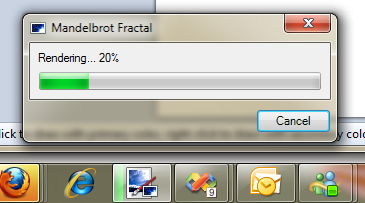
On Windows 7 and newer operating systems, some programs are able to display their progress in the taskbar buttons.


Here is an example of Chrome downloading something and showing the progress in the taskbar:


http://www.winbeta.org/sites/default/files/news/oldfashinoned.jpg


Here is an example with Paint.NET instead:


http://www.getpaint.net/images/pdn351_superbarProgress.png


I think this feature would use fewer CPU resources than a) minimizing/maximizing the whole application window each time you want to check progress, or b) hovering the mouse over the taskbar button to show the thumbnails.

</description>
    <content:encoded><![CDATA[
<p>
On Windows 7 and newer operating systems, some programs are able to display their progress in the taskbar buttons.
</p>

<p>
Here is an example of Chrome downloading something and showing the progress in the taskbar:
</p>

<p>
<a href="http://www.winbeta.org/sites/default/files/news/oldfashinoned.jpg" class="urlextern" title="http://www.winbeta.org/sites/default/files/news/oldfashinoned.jpg">http://www.winbeta.org/sites/default/files/news/oldfashinoned.jpg</a>
</p>

<p>
Here is an example with Paint.NET instead:
</p>

<p>
<a href="http://www.getpaint.net/images/pdn351_superbarProgress.png" class="urlextern" title="http://www.getpaint.net/images/pdn351_superbarProgress.png">http://www.getpaint.net/images/pdn351_superbarProgress.png</a>
</p>

<p>
I think this feature would use fewer CPU resources than a) minimizing/maximizing the whole application window each time you want to check progress, or b) hovering the mouse over the taskbar button to show the thumbnails.<br />
</p>
]]></content:encoded>
  </item>
    <item rdf:about="http://bugs.povray.org/task/331">
    <title>FS#331: Intersection causes quadric to disappear</title>
    <link>http://bugs.povray.org/task/331</link>
    <dc:date>2016-12-13T06:09:22Z</dc:date>
    <dc:creator>Richard Callwood III</dc:creator>
    <description>

The following paraboloid renders correctly:

intersection
{ quadric { &amp;lt;1, 0, 1&amp;gt;, &amp;lt;0, 0, 0&amp;gt;, &amp;lt;0, 1, 0&amp;gt;, -1 }
  cylinder { 0, y, 1 }
}


However, when I extend the clipping cylinder downward:

intersection
{ quadric { &amp;lt;1, 0, 1&amp;gt;, &amp;lt;0, 0, 0&amp;gt;, &amp;lt;0, 1, 0&amp;gt;, -1 }
  cylinder { -y, y, 1 }
}


the object disappears completely in POV-Ray 3.7 and 3.7.1. In POV-Ray 3.6.1, it renders as expected.


POV-Ray 3.7.0.unofficial (self-compiled with g++ 4.8, but completely unaltered)POV-Ray 3.7.1-alpha.8150025.unofficialopenSUSE 13.2 GNU/Linux


This scene file illustrates the problem:

// +w480 +h240
#version 3.6; //[sic]

global_settings { assumed_gamma 1 }

camera
{ location &amp;lt;0, 1, -7.5958&amp;gt;
  look_at &amp;lt;0, 1, 0&amp;gt;
  right 2 * x
  up y
  angle 43.1038
}

#default { finish { diffuse 0.6 ambient rgb 0.15618 } }

light_source
{ &amp;lt;-4.3125, 9.6250, -7.4695&amp;gt;,
  rgb 6856.3
  fade_power 2 fade_distance 0.10417
  spotlight point_at &amp;lt;0, 1, 0&amp;gt; radius 45 falloff 90
}

box
{ -&amp;lt;9, 11, 9&amp;gt;, &amp;lt;9, 11, 9&amp;gt;
  pigment { rgb 1 }
}

plane
{ y, 0
  pigment { checker rgb 0.05 rgb 1 }
}

intersection
{ quadric { &amp;lt;1, 0, 1&amp;gt;, &amp;lt;0, 0, 0&amp;gt;, &amp;lt;0, 1, 0&amp;gt;, -1 }
  cylinder { 0, y, 1 }
  pigment { green 0.5 }
  translate &amp;lt;-1.25, 1, 0&amp;gt;
}

intersection
{ quadric { &amp;lt;1, 0, 1&amp;gt;, &amp;lt;0, 0, 0&amp;gt;, &amp;lt;0, 1, 0&amp;gt;, -1 }
  cylinder { -y, y, 1 }
  pigment { green 0.5 }
  translate &amp;lt;1.25, 1, 0&amp;gt;
}


On the right side, there should have been a cylinder capped with a paraboloid. A thread has been started in povray.bugreports. Jerome has started to look at it.

</description>
    <content:encoded><![CDATA[
<p>
The following paraboloid renders correctly:
</p>
<pre class="code">intersection
{ quadric { &lt;1, 0, 1&gt;, &lt;0, 0, 0&gt;, &lt;0, 1, 0&gt;, -1 }
  cylinder { 0, y, 1 }
}</pre>

<p>
However, when I extend the clipping cylinder downward:
</p>
<pre class="code">intersection
{ quadric { &lt;1, 0, 1&gt;, &lt;0, 0, 0&gt;, &lt;0, 1, 0&gt;, -1 }
  cylinder { -y, y, 1 }
}</pre>

<p>
the object disappears completely in POV-Ray 3.7 and 3.7.1. In POV-Ray <br />3.6.1, it renders as expected.
</p>

<p>
POV-Ray 3.7.0.unofficial (self-compiled with g++ 4.8, but completely unaltered)<br />POV-Ray 3.7.1-alpha.8150025.unofficial<br />openSUSE 13.2 GNU/Linux
</p>

<p>
This scene file illustrates the problem:
</p>
<pre class="code">// +w480 +h240
#version 3.6; //[sic]

global_settings { assumed_gamma 1 }

camera
{ location &lt;0, 1, -7.5958&gt;
  look_at &lt;0, 1, 0&gt;
  right 2 * x
  up y
  angle 43.1038
}

#default { finish { diffuse 0.6 ambient rgb 0.15618 } }

light_source
{ &lt;-4.3125, 9.6250, -7.4695&gt;,
  rgb 6856.3
  fade_power 2 fade_distance 0.10417
  spotlight point_at &lt;0, 1, 0&gt; radius 45 falloff 90
}

box
{ -&lt;9, 11, 9&gt;, &lt;9, 11, 9&gt;
  pigment { rgb 1 }
}

plane
{ y, 0
  pigment { checker rgb 0.05 rgb 1 }
}

intersection
{ quadric { &lt;1, 0, 1&gt;, &lt;0, 0, 0&gt;, &lt;0, 1, 0&gt;, -1 }
  cylinder { 0, y, 1 }
  pigment { green 0.5 }
  translate &lt;-1.25, 1, 0&gt;
}

intersection
{ quadric { &lt;1, 0, 1&gt;, &lt;0, 0, 0&gt;, &lt;0, 1, 0&gt;, -1 }
  cylinder { -y, y, 1 }
  pigment { green 0.5 }
  translate &lt;1.25, 1, 0&gt;
}</pre>

<p>
On the right side, there should have been a cylinder capped with a paraboloid. A <a href="http://news.povray.org/povray.bugreports/thread/%3C55b39c37%241%40news.povray.org%3E/" class="urlextern" title="http://news.povray.org/povray.bugreports/thread/%3C55b39c37%241%40news.povray.org%3E/">thread has been started in povray.bugreports</a><a href="http://wiki.povray.org/content/" class="internallink"></a>. Jerome has started to look at it.
</p>
]]></content:encoded>
  </item>
    <item rdf:about="http://bugs.povray.org/task/330">
    <title>FS#330: Typo in QUICKRES.INI</title>
    <link>http://bugs.povray.org/task/330</link>
    <dc:date>2015-08-01T18:07:57Z</dc:date>
    <dc:creator>Jim Holsenback</dc:creator>
    <description>

Height=36084


[640&amp;times;360, AA 0.3]Width=640Height=36084Antialias=OnAntialias_Threshold=0.3


should be:


[640&amp;times;360, AA 0.3]Width=640Height=360Antialias=OnAntialias_Threshold=0.3

</description>
    <content:encoded><![CDATA[
<p>
Height=36084
</p>

<p>
[640&times;360, AA 0.3]<br />Width=640<br />Height=36084<br />Antialias=On<br />Antialias_Threshold=0.3
</p>

<p>
should be:
</p>

<p>
[640&times;360, AA 0.3]<br />Width=640<br />Height=360<br />Antialias=On<br />Antialias_Threshold=0.3<br />
</p>
]]></content:encoded>
  </item>
    <item rdf:about="http://bugs.povray.org/task/329">
    <title>FS#329: Mesh_camera type 0 output seems</title>
    <link>http://bugs.povray.org/task/329</link>
    <dc:date>2016-03-05T13:46:44Z</dc:date>
    <dc:creator>Manson</dc:creator>
    <description>

 When using mesh_camera type ‘0’


The first line of the mesh output seems to be repeated resulting in incorrect light colour values.


If the first line of the texture is skipped then the values seem to be correct.

</description>
    <content:encoded><![CDATA[
<p>
 When using mesh_camera type ‘0’
</p>

<p>
The first line of the mesh output seems to be repeated resulting in incorrect light colour values.
</p>

<p>
If the first line of the texture is skipped then the values seem to be correct.<br />
</p>
]]></content:encoded>
  </item>
    <item rdf:about="http://bugs.povray.org/task/328">
    <title>FS#328: Ascii char &#039;=&#039; in filenames causes command line parsing failure</title>
    <link>http://bugs.povray.org/task/328</link>
    <dc:date>2016-10-15T17:50:15Z</dc:date>
    <dc:creator>Marco Costa</dc:creator>
    <description>

The following command fails with parsing error:povray  +OqXfFbD0Vg5XjZgi5sOefkvdF_oCGrZ1ChVhrQw==.png +IqXfFbD0Vg5XjZgi5sOefkvdF_oCGrZ1ChVhrQw==.pov +W1000 +H1000


The following command succeeds:povray  +OqXfFbD0Vg5XjZgi5sOefkvdF_oCGrZ1ChVhrQw.png +IqXfFbD0Vg5XjZgi5sOefkvdF_oCGrZ1ChVhrQw.pov +W1000 +H1000


 Any option that gets a filename as parameter will fail if it contains &amp;lsquo;=&amp;rsquo;.


It is a regression, as it worked fine with 3.6.

</description>
    <content:encoded><![CDATA[
<p>
The following command fails with parsing error:<br />povray  +OqXfFbD0Vg5XjZgi5sOefkvdF_oCGrZ1ChVhrQw==.png +IqXfFbD0Vg5XjZgi5sOefkvdF_oCGrZ1ChVhrQw==.pov +W1000 +H1000
</p>

<p>
The following command succeeds:<br />povray  +OqXfFbD0Vg5XjZgi5sOefkvdF_oCGrZ1ChVhrQw.png +IqXfFbD0Vg5XjZgi5sOefkvdF_oCGrZ1ChVhrQw.pov +W1000 +H1000
</p>

<p>
 Any option that gets a filename as parameter will fail if it contains &lsquo;=&rsquo;.
</p>

<p>
It is a regression, as it worked fine with 3.6.<br />
</p>
]]></content:encoded>
  </item>
    <item rdf:about="http://bugs.povray.org/task/327">
    <title>FS#327: Support for non-ASCII characters in filename strings</title>
    <link>http://bugs.povray.org/task/327</link>
    <dc:date>2016-11-19T11:34:14Z</dc:date>
    <dc:creator>liujiaguo</dc:creator>
    <description>

pov 3.7 Can not identify the Chinese.I give the texture map filename in chinese,it turns out parse error.

</description>
    <content:encoded><![CDATA[
<p>
pov 3.7 Can not identify the Chinese.I give the texture map filename in chinese,it turns out parse error.<br />
</p>
]]></content:encoded>
  </item>
  </rdf:RDF>